Write down what happened, check it for private details, and save it
Fill in the story worksheet with your numbers and a timeline, let the page check it for private details, then download or print it. It stays on your device: the page sends nothing. About 15 minutes.
Watch it (2:17, no sound)
- Denied But Heard is a private draft and hasn't launched yet. Open it from the link you were given (it will be deniedbutheard.org).
- Your notices, bills and Explanation of Benefits, for the dates and dollar amounts.
- Do it in one sitting: the page doesn't save a draft, so if you close it, what you typed is gone.
Step by step
1Open the story worksheet
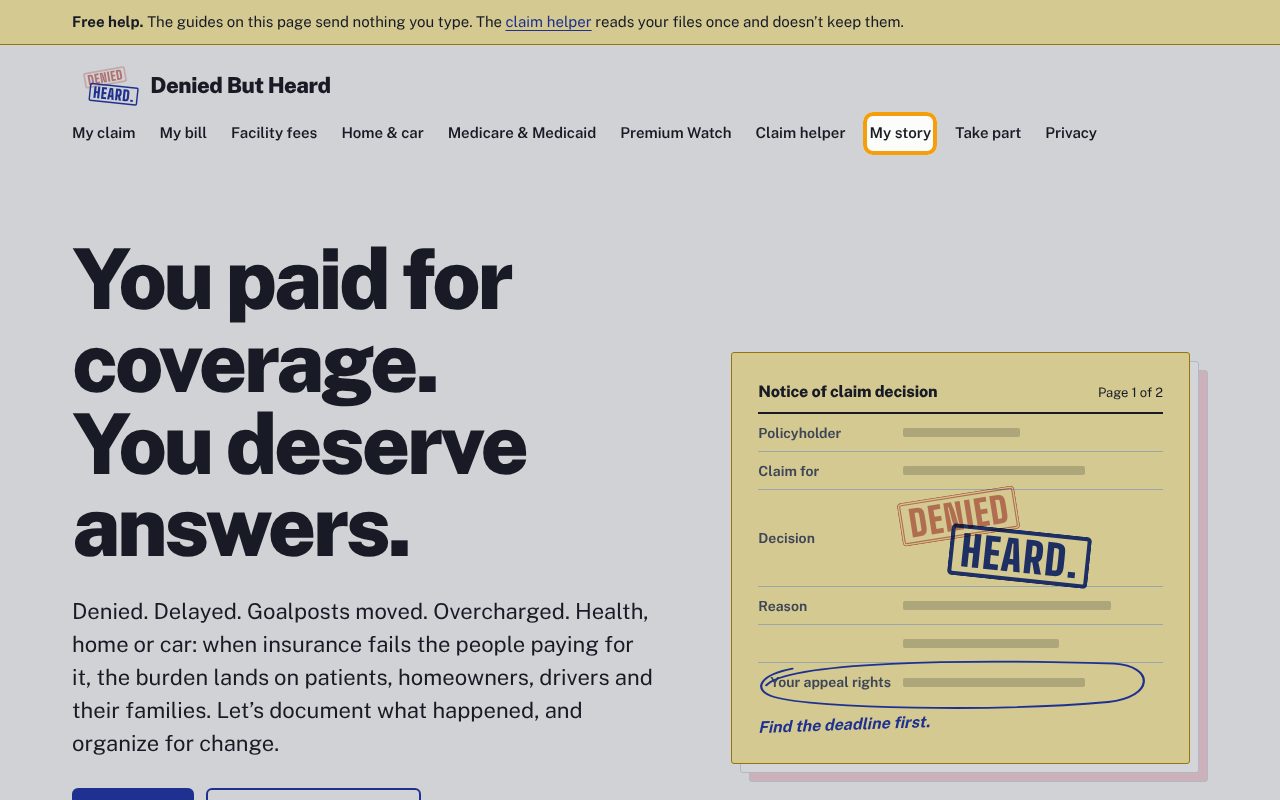
Click My story in the menu at the top. (On Start here, I want to tell my story goes to the same place.)
2Read what happens to it
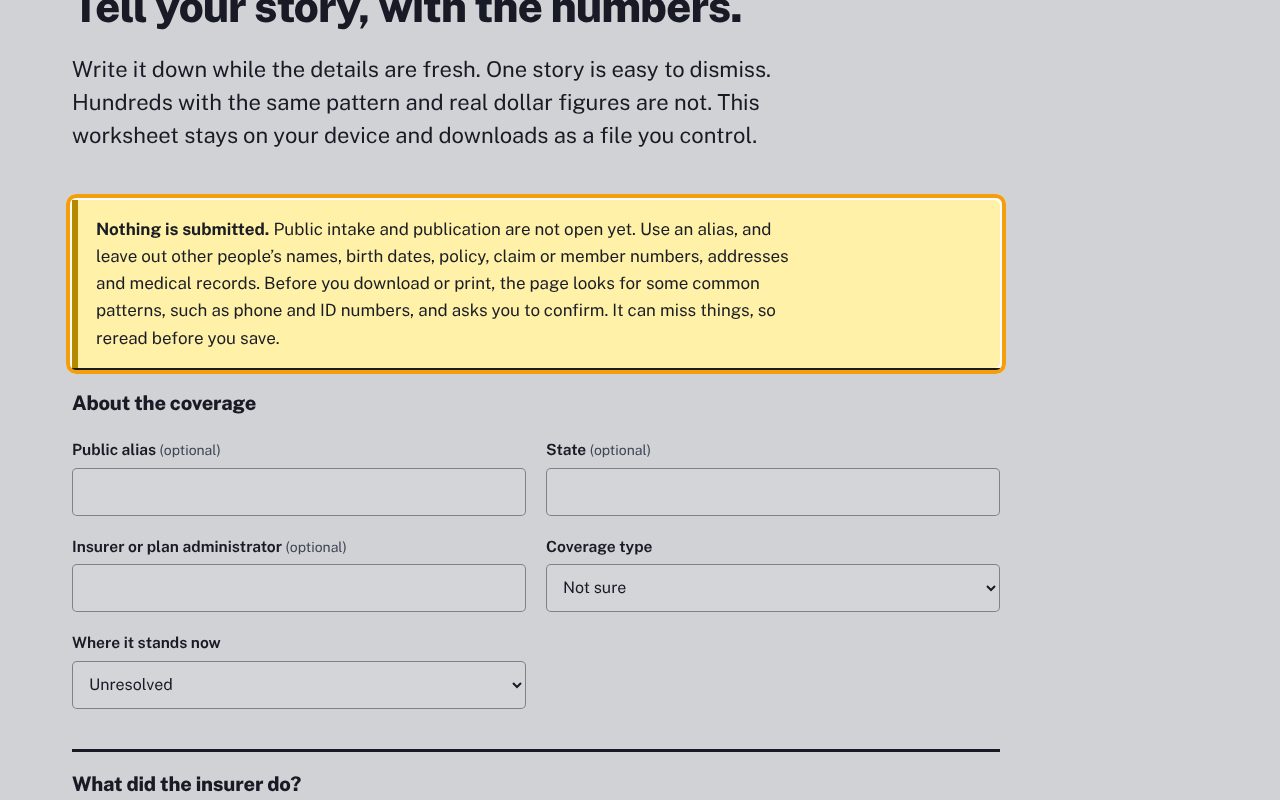
Under Tell your story, with the numbers., read the box that starts Nothing is submitted. Story sharing isn't open yet. Use an alias, and leave out other people's names, birth dates, policy, claim or member numbers, addresses and medical records.
3About the coverage
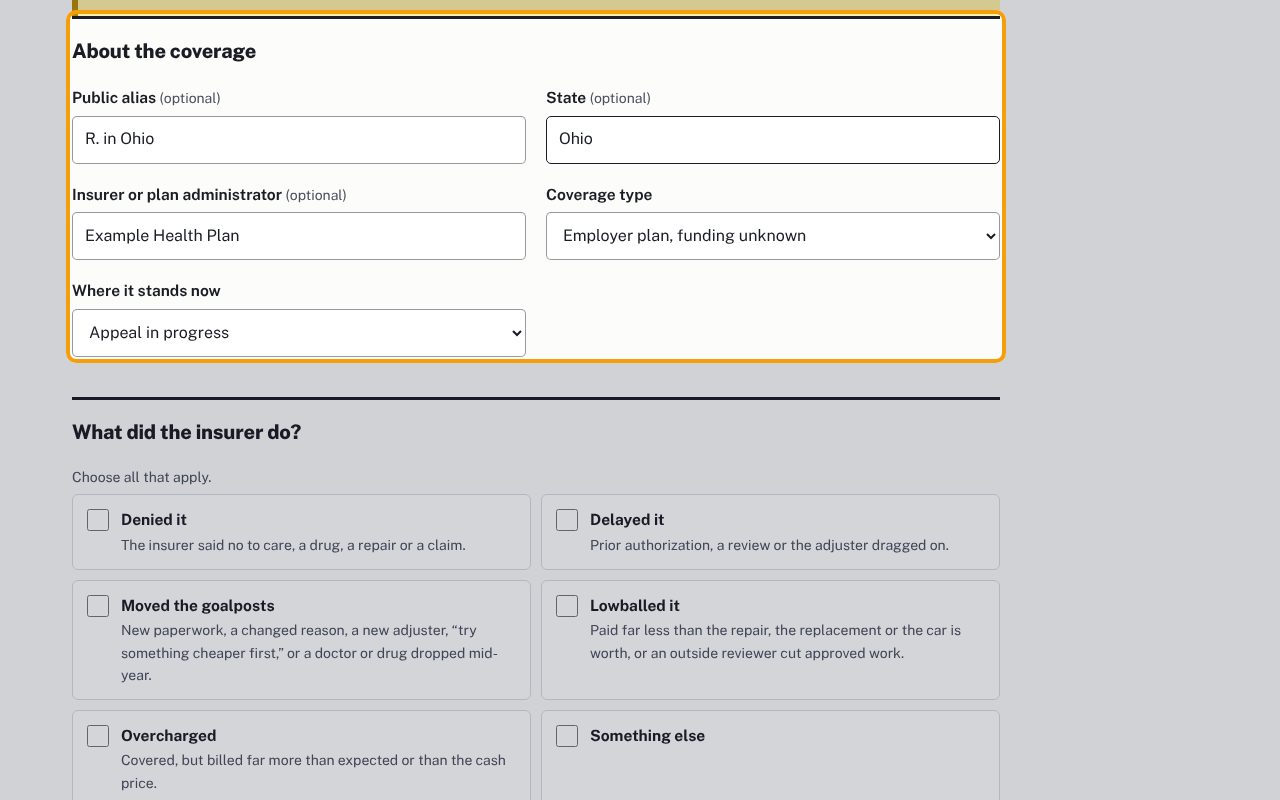
Under About the coverage, everything but the two lists is optional: Public alias (not your real name), State, and Insurer or plan administrator. Pick the Coverage type and Where it stands now, for example Appeal in progress.
4What did the insurer do?
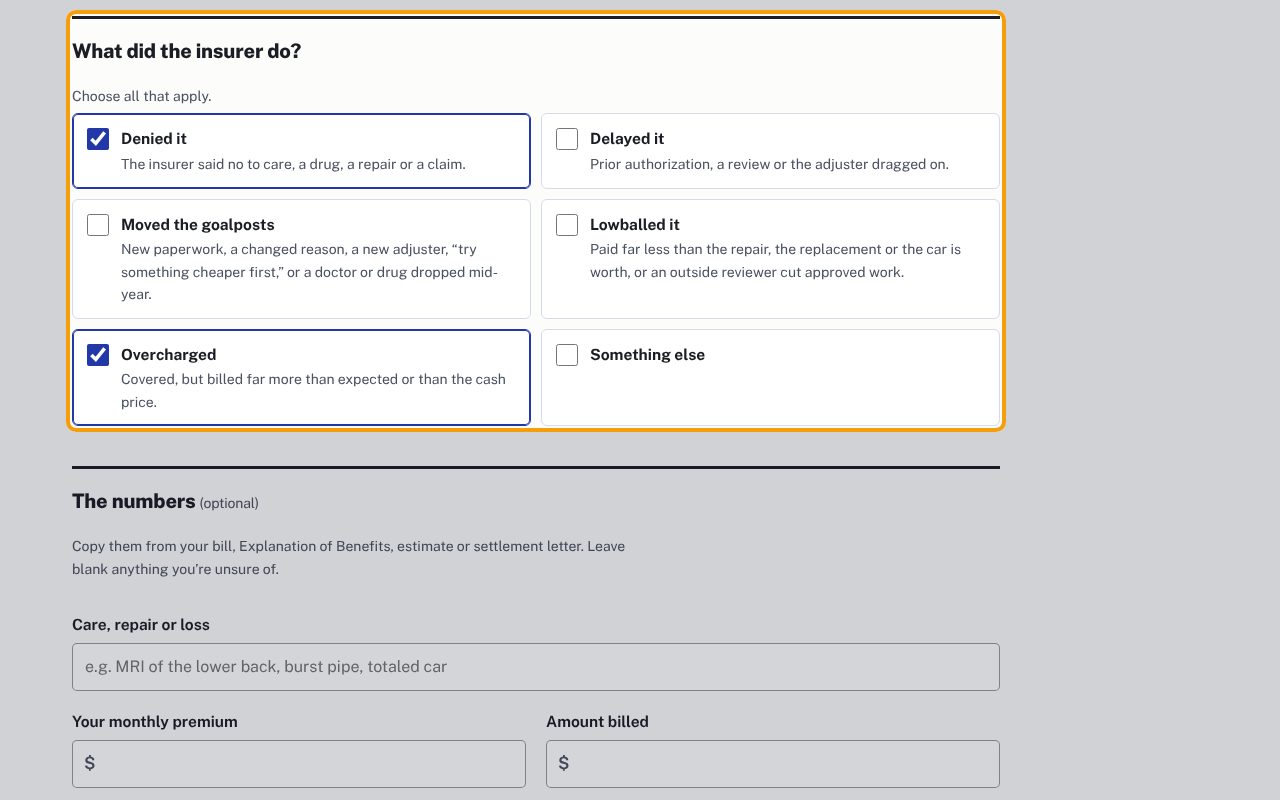
Under What did the insurer do?, tick every box that fits: Denied it, Delayed it, Moved the goalposts, Lowballed it, Overcharged or Something else. Each has a short description under it.
5Add the numbers
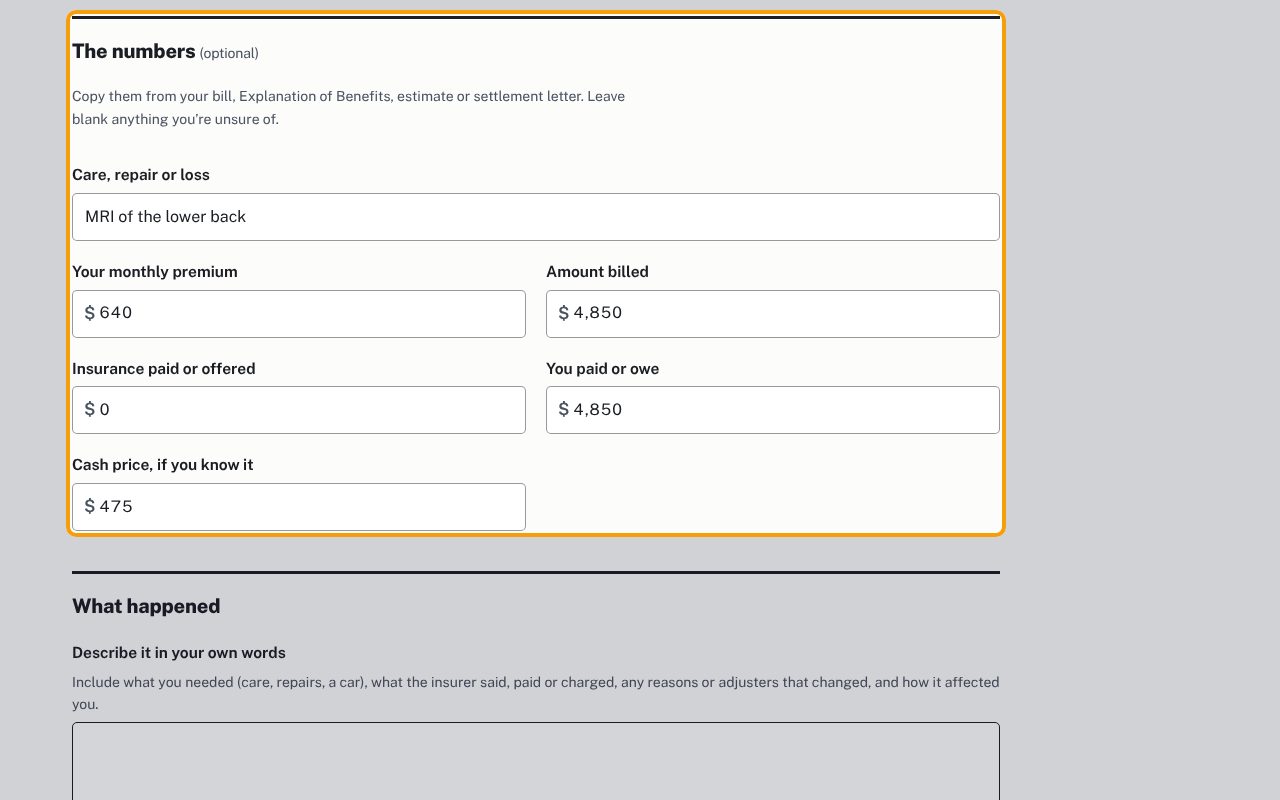
Under The numbers, copy the amounts from your bill or Explanation of Benefits: Care, repair or loss, Your monthly premium, Amount billed, Insurance paid or offered, You paid or owe, and Cash price, if you know it. Leave blank anything you're unsure of.
6Describe it in your own words
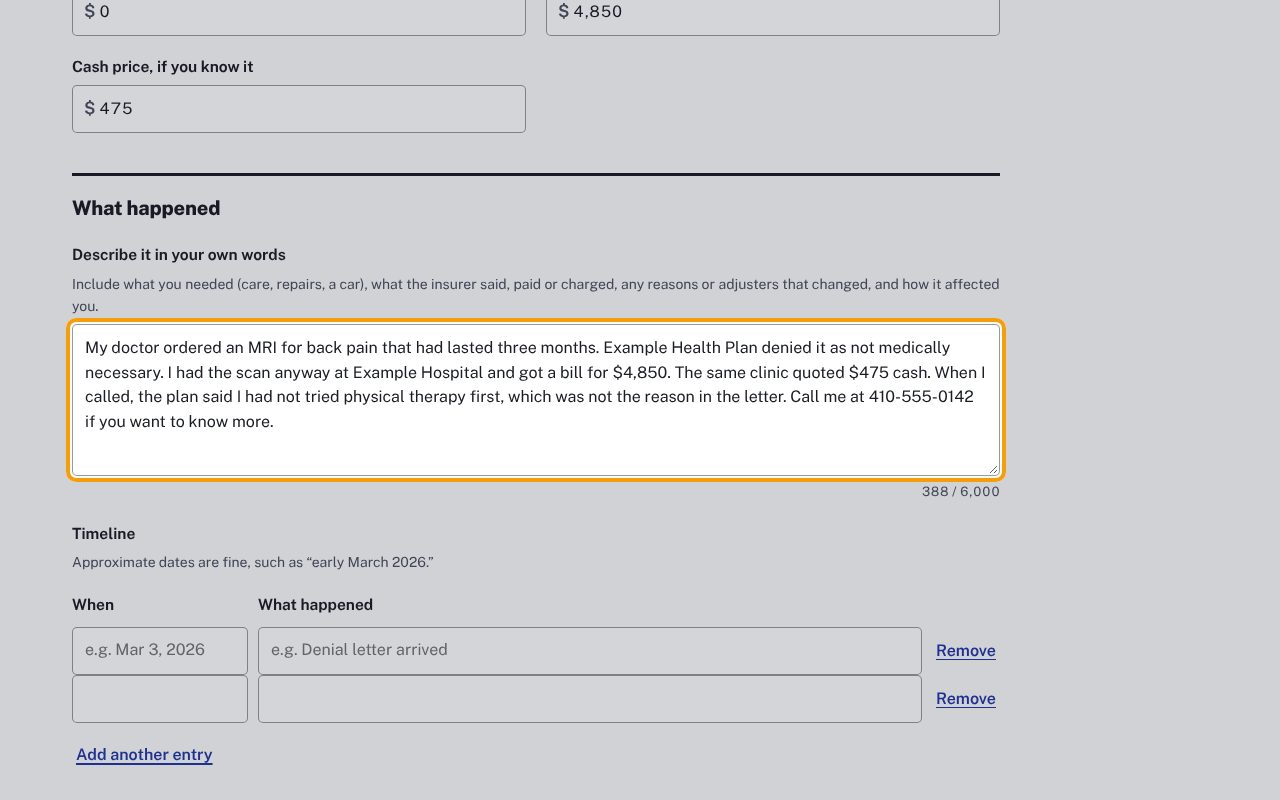
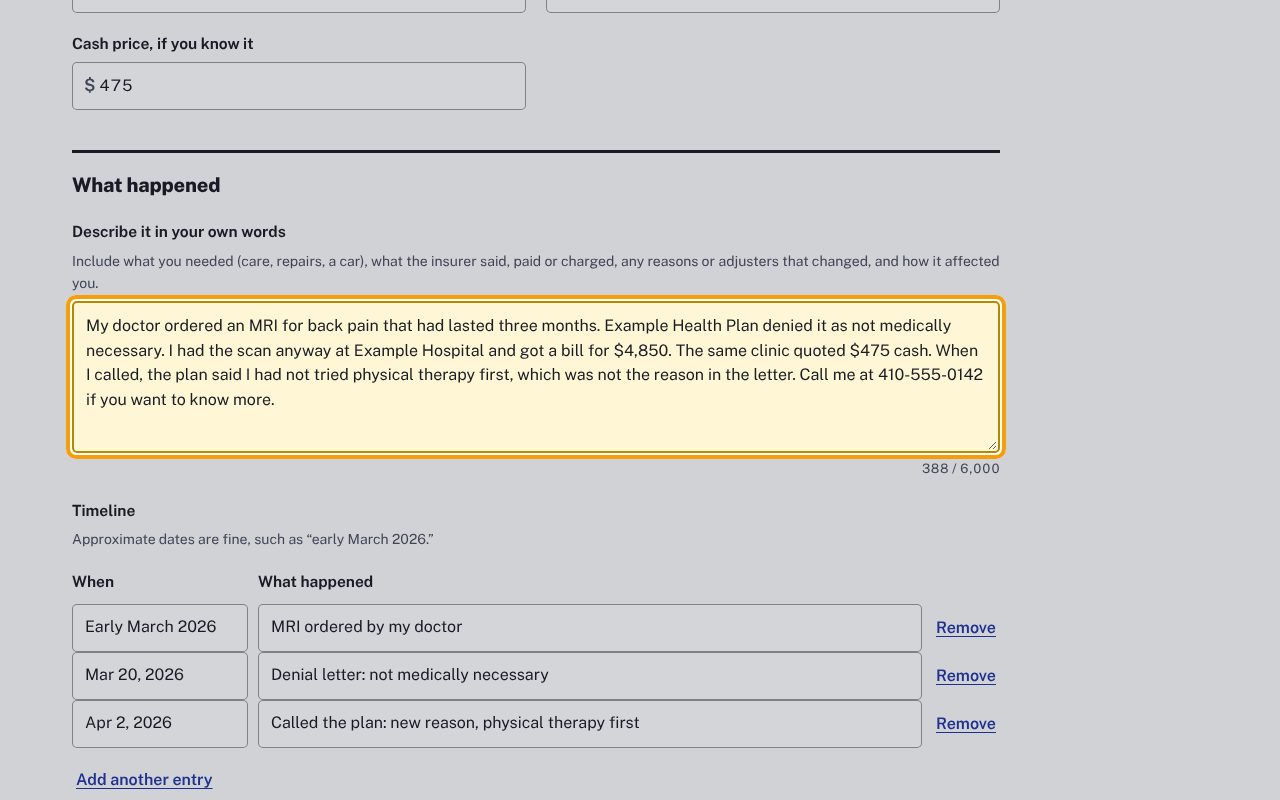
Under What happened, write it down in Describe it in your own words: what you needed, what the insurer said, paid or charged, any reasons that changed, and how it affected you. This is the one box you must fill in.
7Build the timeline
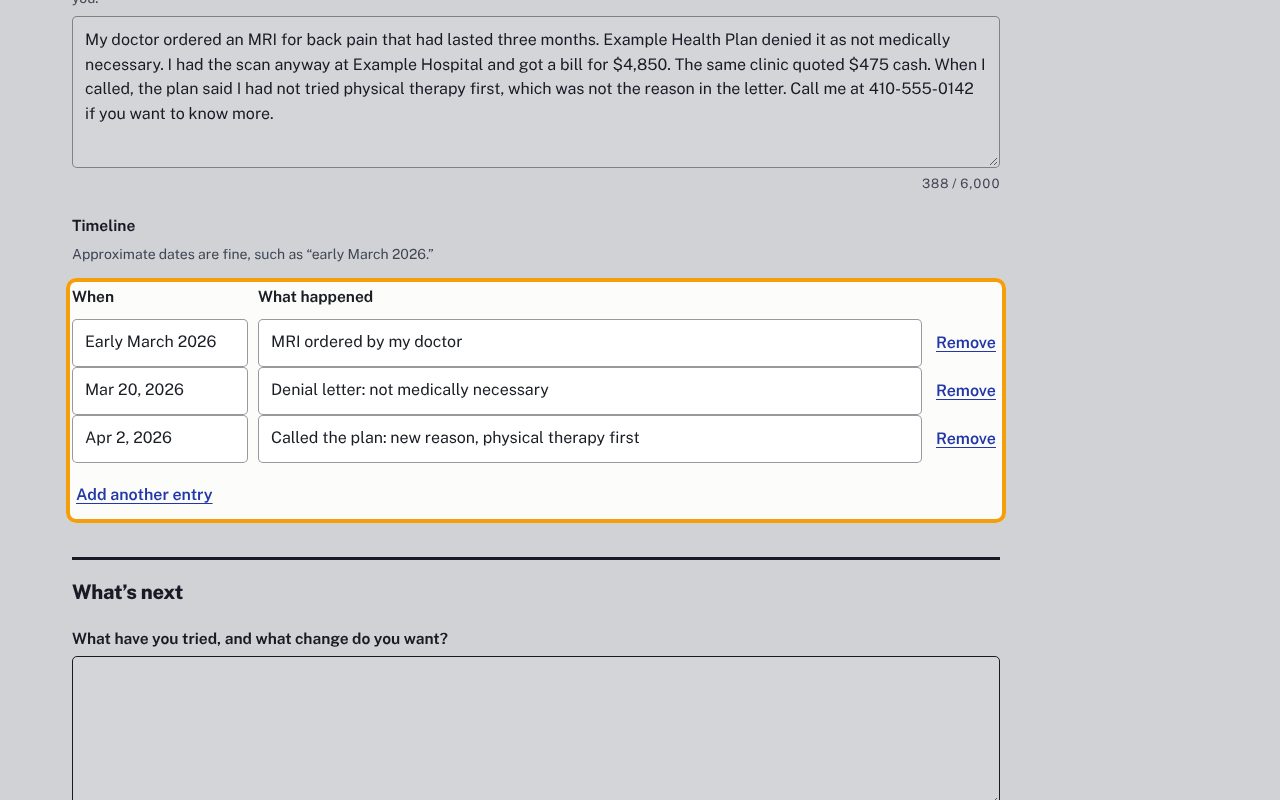
Under Timeline, put a date under When and the event under What happened. Approximate dates like "Early March 2026" are fine. Click Add another entry for more rows, and Remove to take one out. Below it, What have you tried, and what change do you want? is optional.
8Download, and read the privacy check
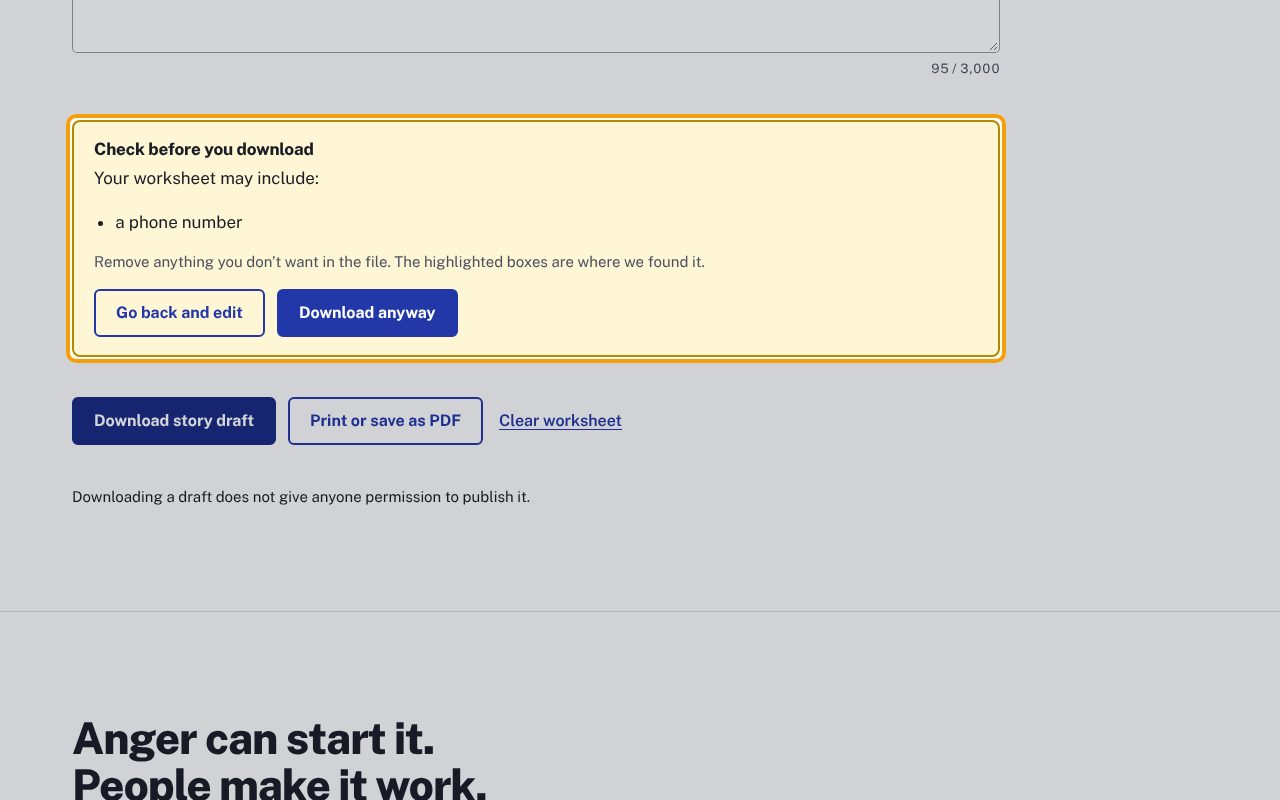
Click Download story draft. Before it saves anything, the page looks for details like phone and ID numbers. If it finds some, Check before you download lists them, here a phone number. Nothing is saved yet.
9Take out what you don't want in the file
Click Go back and edit. The page jumps to the box where it found the detail, outlined in color. Delete what you don't want in the file. (Download anyway saves it as it is, if you're sure.)
10Save it, print it, then clear the page
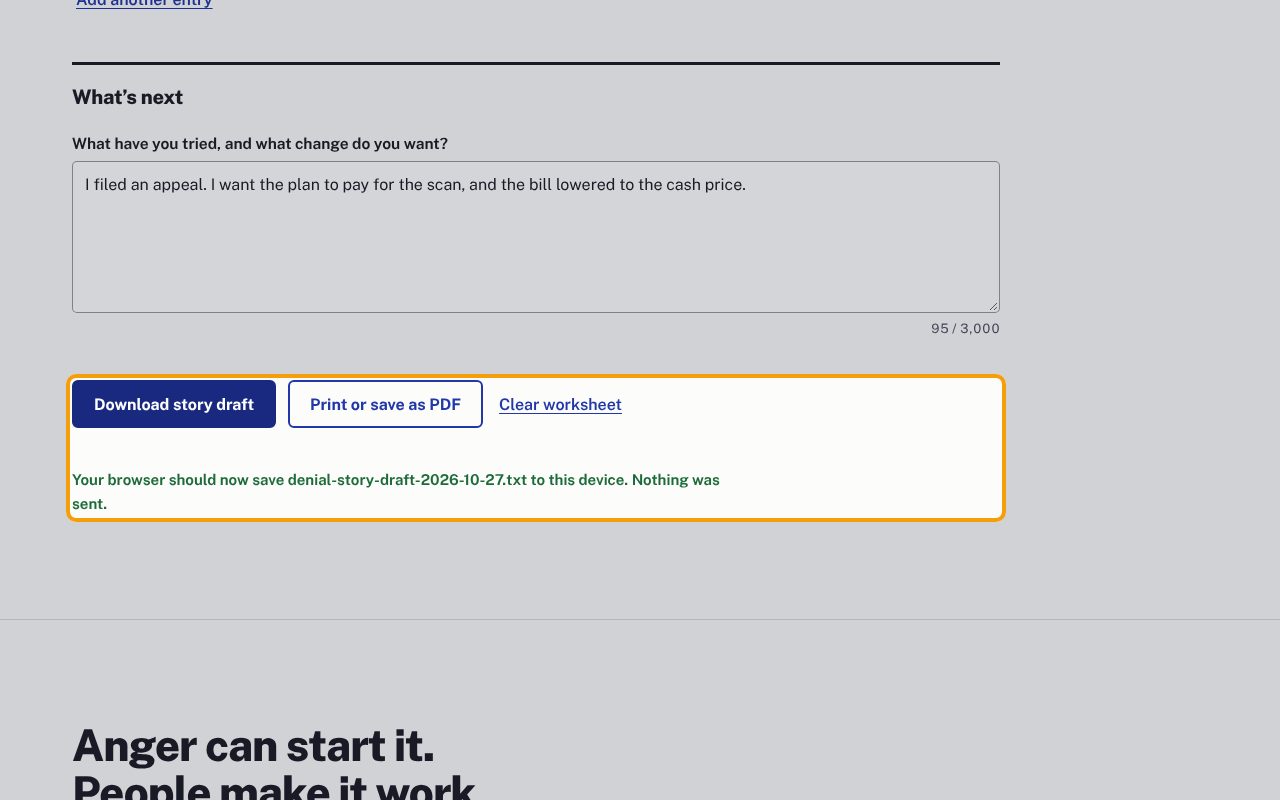
Click Download story draft again. You'll see Your browser should now save denial-story-draft-…txt to this device. Nothing was sent. For paper or a PDF, click Print or save as PDF: the same check runs, then your printer window opens with only the worksheet. When you're done, click Clear worksheet and confirm, especially on a shared computer.
If something goes wrong
- "Please fill out this field." when I click Download
- Describe it in your own words is the one box you must fill in. Write at least a sentence there.
- The privacy check didn't flag something private
- It looks only for common patterns, such as phone, email and ID numbers, and it can miss things (for example a name, or a date written out in words). Reread the worksheet before you save it.
- I can't find the downloaded file
- Look in your Downloads folder for a file named denial-story-draft- with today's date. It's a plain text file that any computer can open.
- What I typed is still there after I reload the page
- Some browsers keep what's in the boxes after a reload. Click Clear worksheet when you're done.
- Does downloading share my story?
- No. The page says Downloading a draft does not give anyone permission to publish it. Story sharing isn't open yet.