Practice with the Maria Ellis demo case
Open the fictional Maria Ellis case to see a complete investigation with example records, and use each stage's field reference. About 5 minutes.
Watch it (1:02, no sound)
- You're signed in on caselensapp.com.
Step by step
1Open the demo
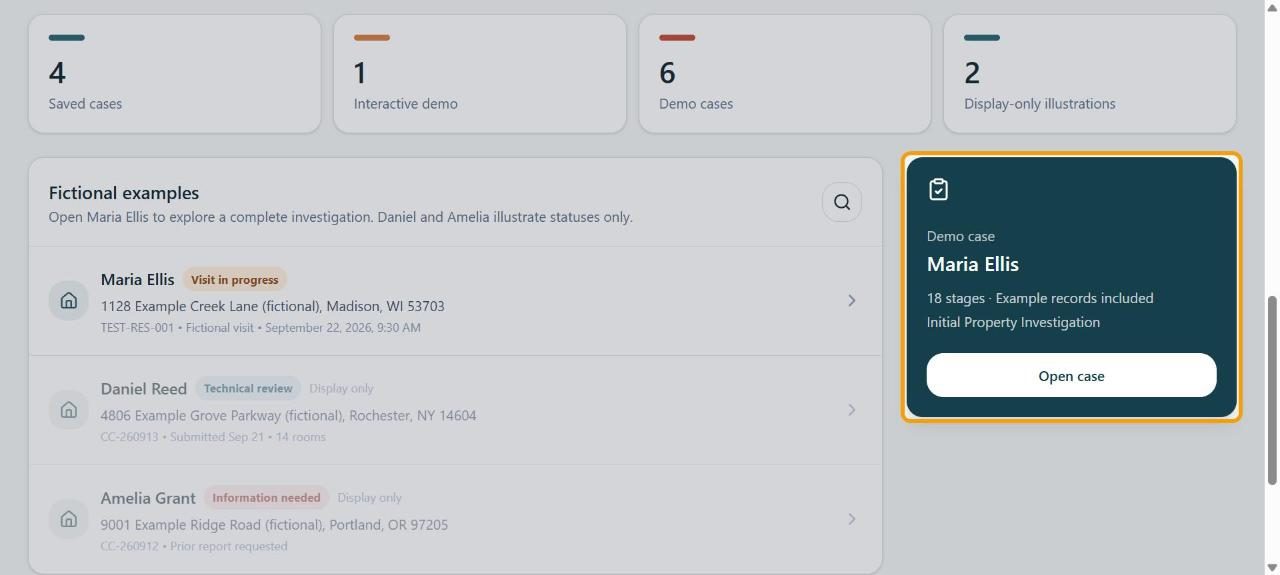
Go to Workspace and scroll to Fictional examples. On the Maria Ellis card, click Open case. Everything in it is made up, so you can change anything to practice. (Daniel Reed and Amelia Grant are only there to show what different statuses look like.)
2Move between stages
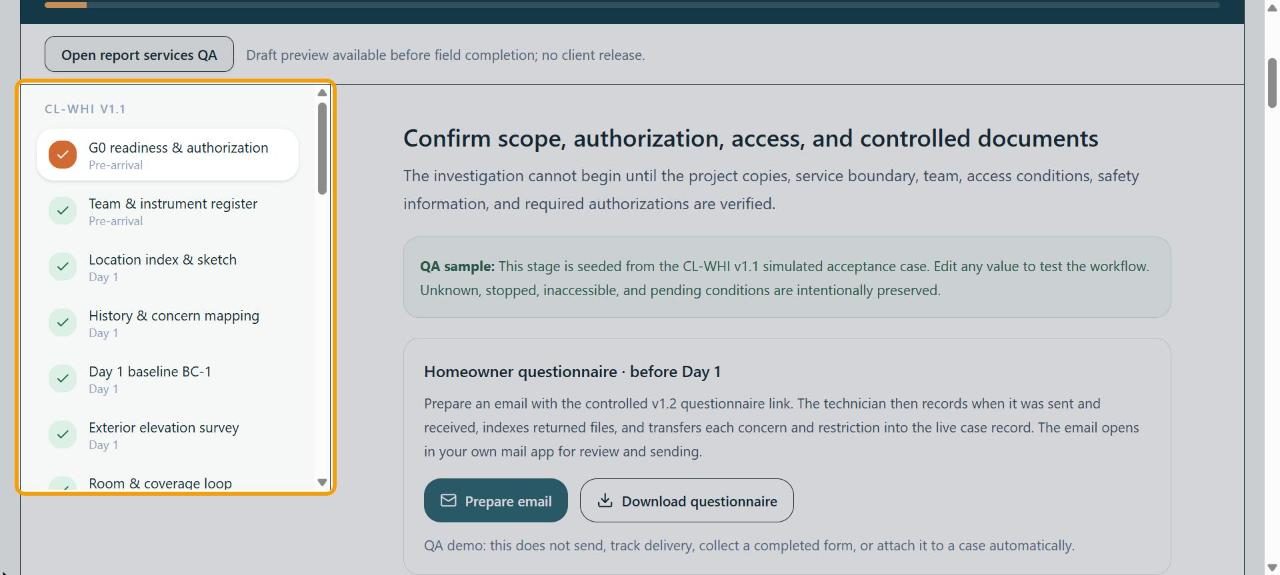
The list on the left shows every stage with when it happens (Pre-arrival, Day 1, …). A tick means that stage has example records. Click any stage to open it.
3Read what each stage is for
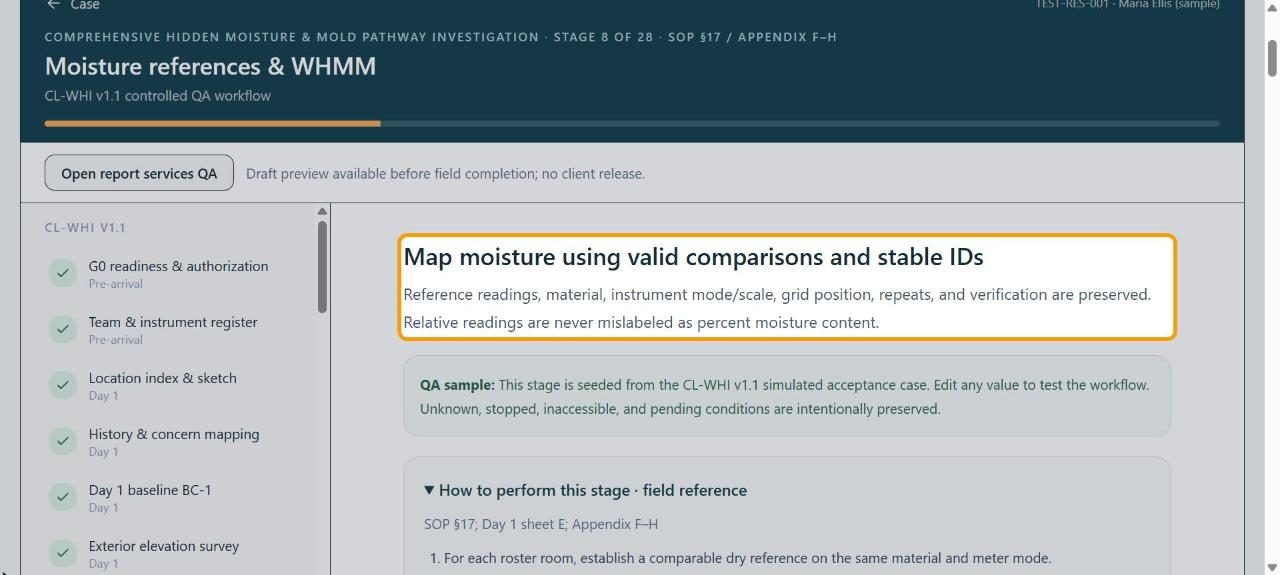
The heading at the top says what the stage records and why. The green QA sample box is a reminder that the values are examples.
4Use the field reference
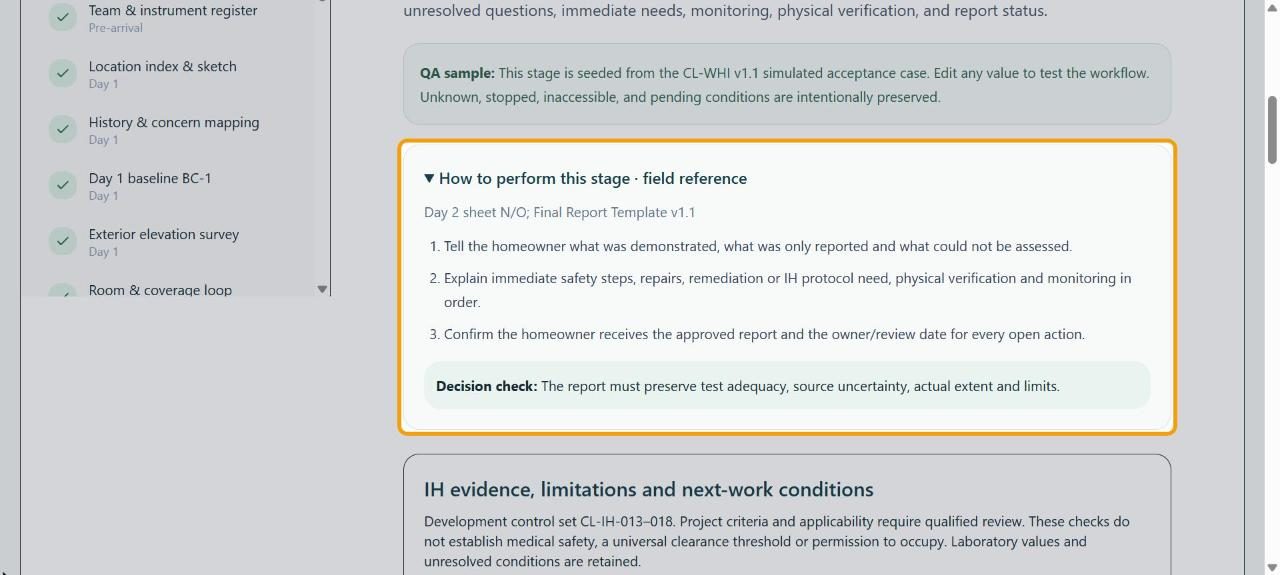
Open How to perform this stage · field reference for the numbered steps and the Decision check for that stage. It's the same guidance you'd follow on a real job.
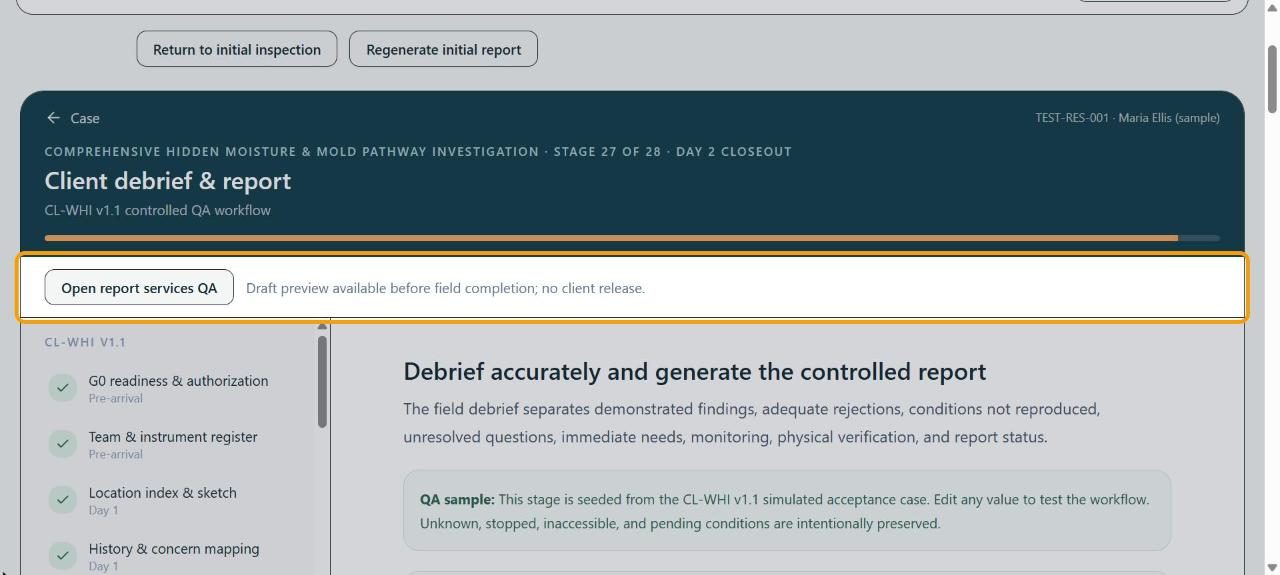
5See a report preview
Click Open report services QA to see a draft of the report from the example records. It's a preview only: nothing is sent to anyone.
If something goes wrong
- Can I type real customer details into the demo?
- No. It's for practice only; use made-up details. Start a real job with New case (see Start a new inspection case).
- I can't find Open case
- Scroll below the four count boxes on Workspace; the Maria Ellis card is on the right (below the list on a narrow screen).