Add your team to a case and send the report for review
Give a teammate access to a case as an editor, reviewer or viewer, then send a frozen copy of the report to a reviewer. About 5 minutes.
Watch it (1:15, no sound)
- A case you own (see Start a new inspection case).
- Each teammate's sign-in email. They need their own caselensapp.com account with inspector workspace access.
- For a review: a report already generated (see Do the field visit, part 2).
Step by step
1Check your access
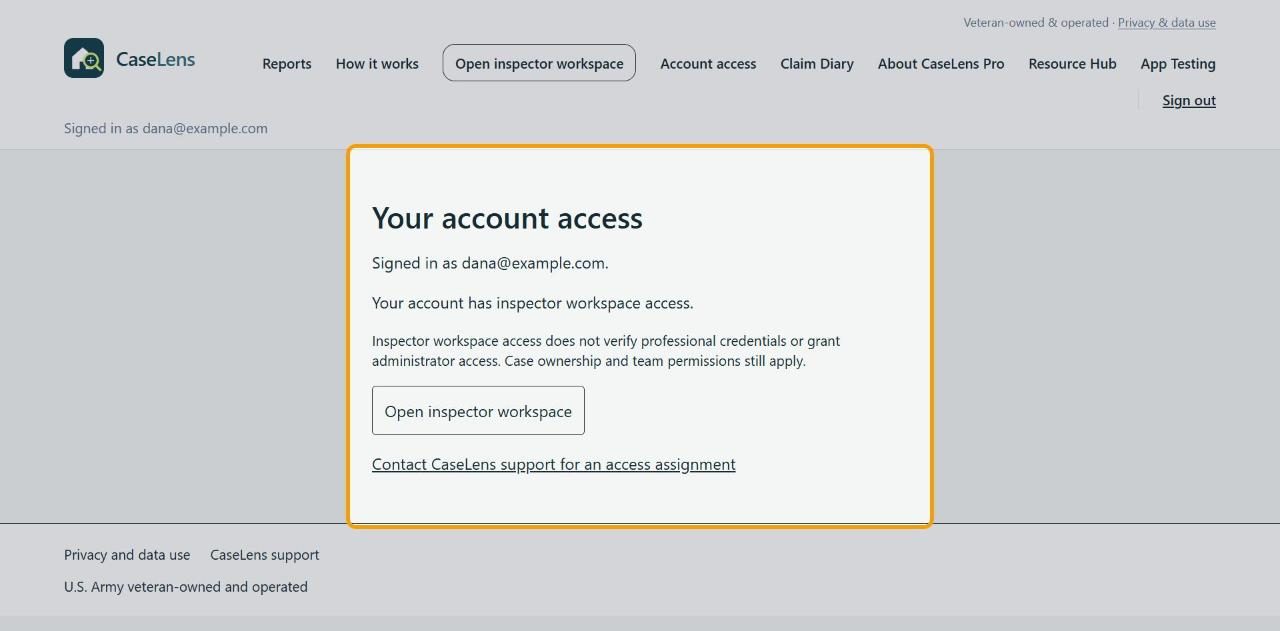
Click Account access at the top. It should say Your account has inspector workspace access. If it doesn't, click Contact CaseLens support for an access assignment. Your teammates can check theirs the same way.
2Open the team panel
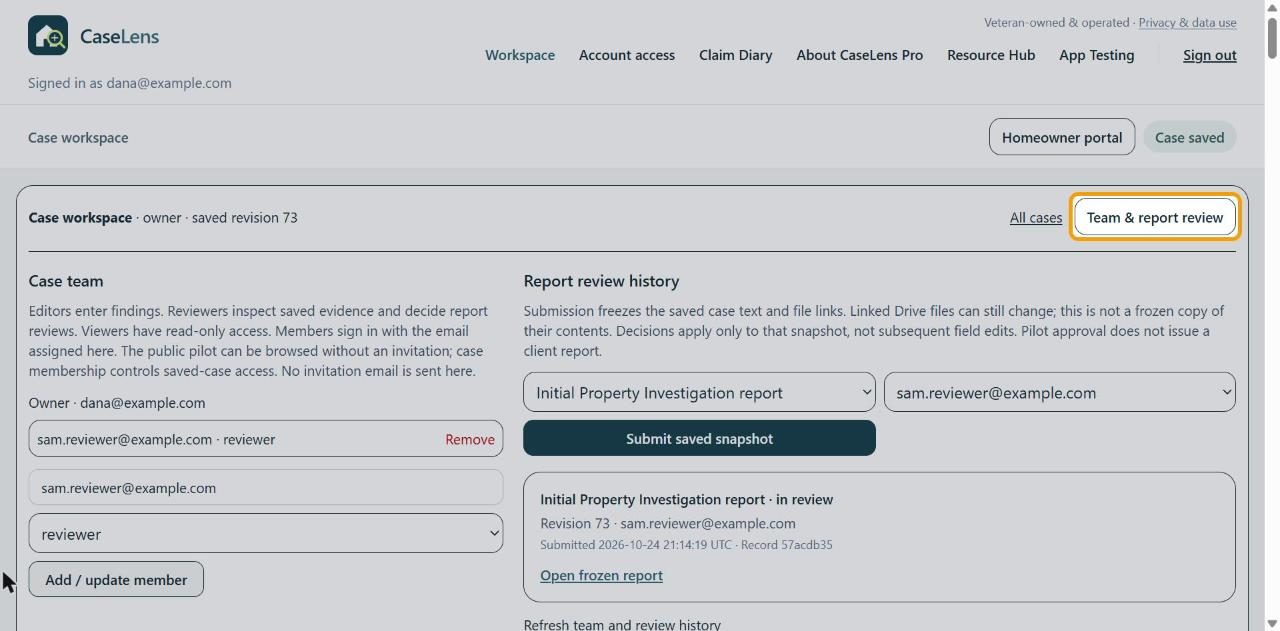
Open the case (Workspace, then Continue next to it) and click Team & report review at the top right.
3Add a teammate
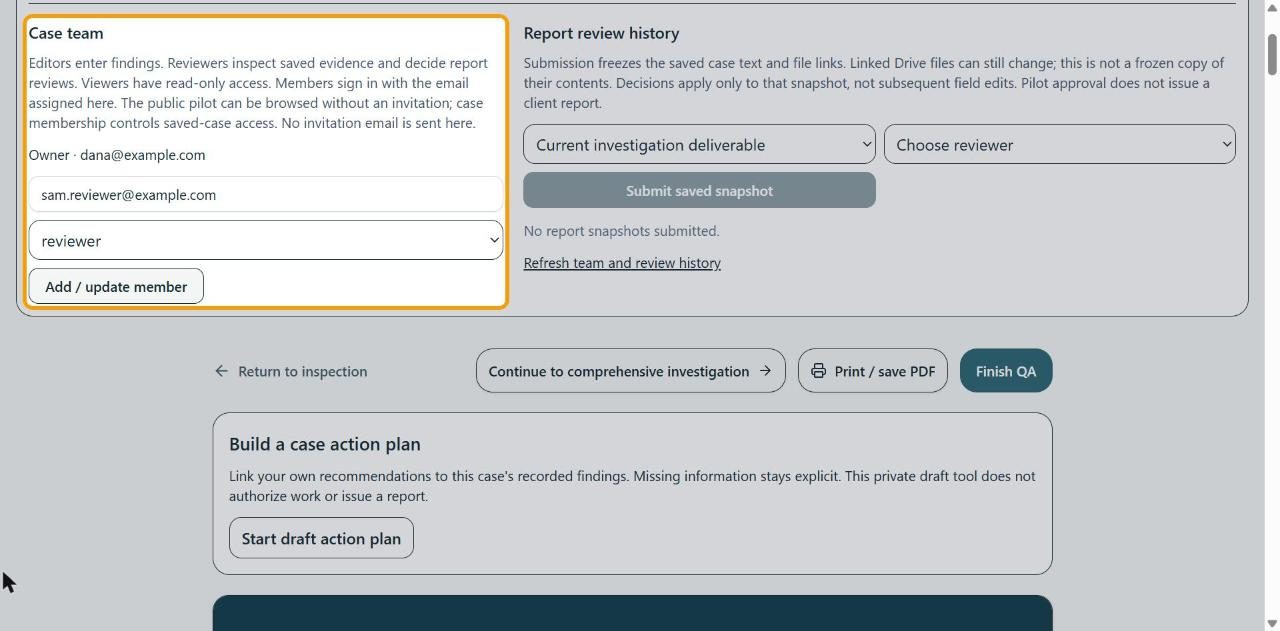
Under Case team, type their sign-in email and pick a role: editor enters findings, reviewer checks saved evidence and decides reviews, viewer can only look. Click Add / update member. No invitation email is sent, so tell them yourself.
4Check the team list
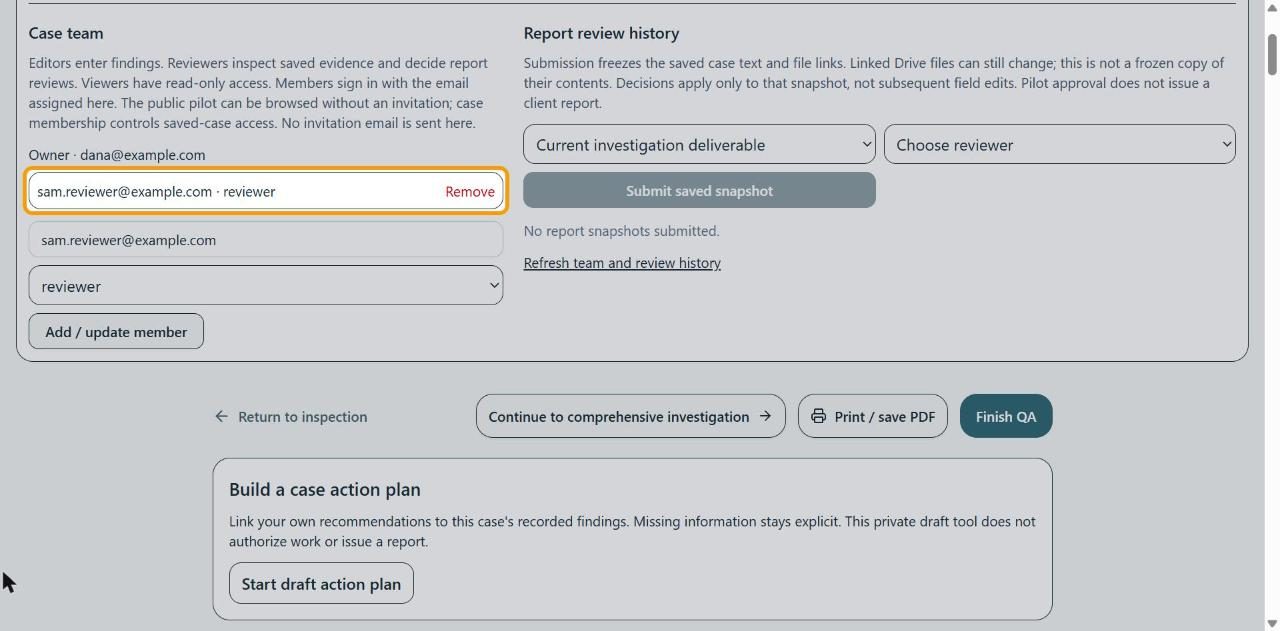
They're listed with their role. To change a role, add the same email with the new role. Remove takes them off the case.
5Send the report for review
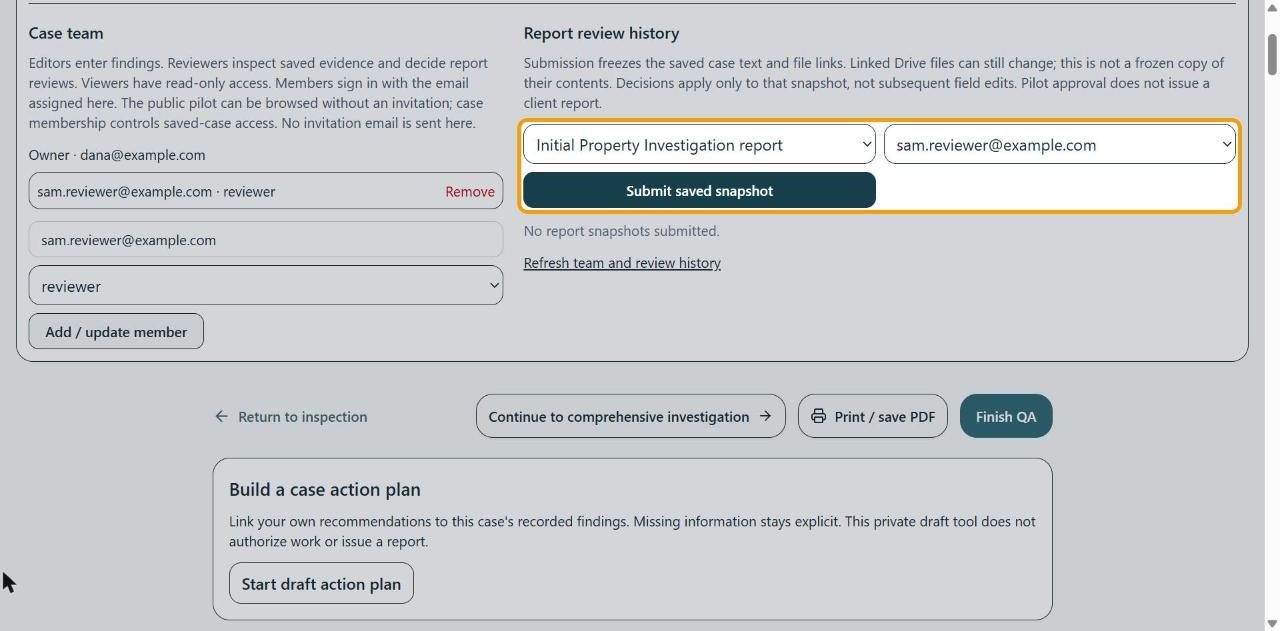
Under Report review history, choose Initial Property Investigation report and the reviewer, then click Submit saved snapshot. This freezes the case text and file links as they are now; later edits aren't part of that review.
6Follow the review
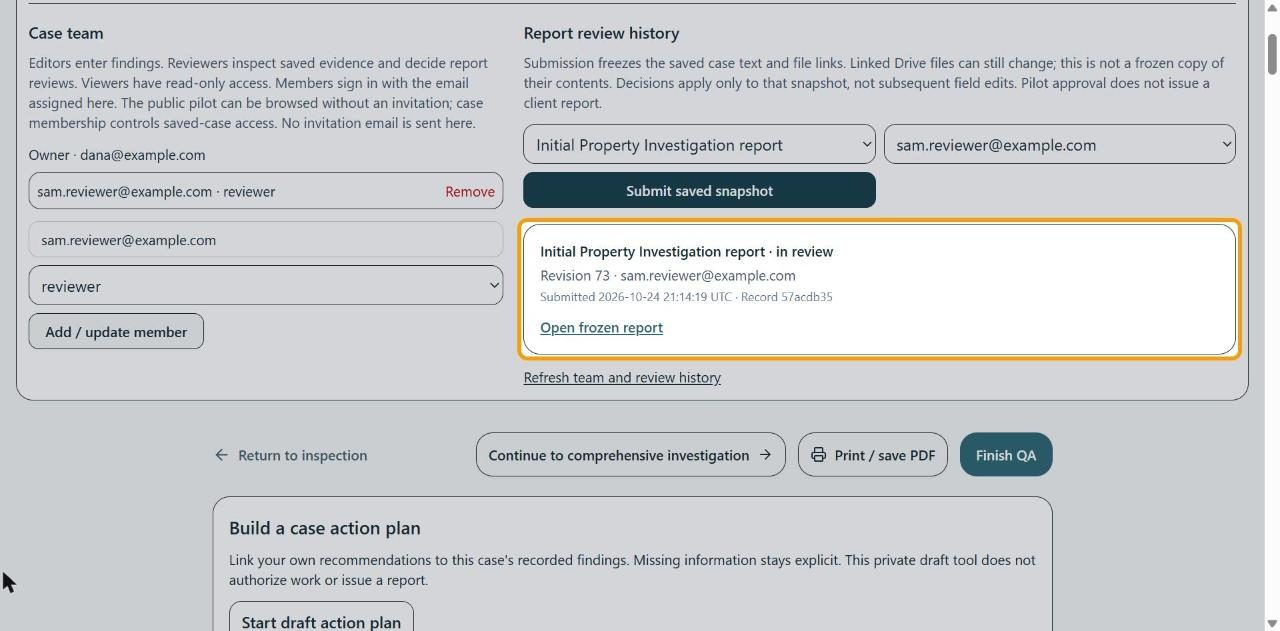
The snapshot is listed with its status (like in review), the revision, the reviewer and when it was sent. Open frozen report shows exactly what they're reviewing. Click Refresh team and review history to see their decision.
If something goes wrong
- My reviewer isn't in Choose reviewer
- Add them under Case team with the role reviewer first.
- A teammate can't open the case
- Check they're signed in with the exact email you added, and that Account access shows workspace access for them.
- I changed the case after sending it
- The review covers the frozen snapshot only. Submit a new snapshot so the reviewer sees the changes. Linked Drive files can still change after a snapshot.