Get started with Claim Diary
Create your free account, sign in and start a diary for your insurance claim. About 5 minutes.
Watch it (2:22, no sound)
- An email address you can open now (Claim Diary sends a link to confirm it).
- Whatever you have about the claim: the insurance company, claim number, date of loss and the adjuster's name, phone and email. Only a name for the claim is needed to start; you can add the rest later.
Step by step
1Open Claim Diary
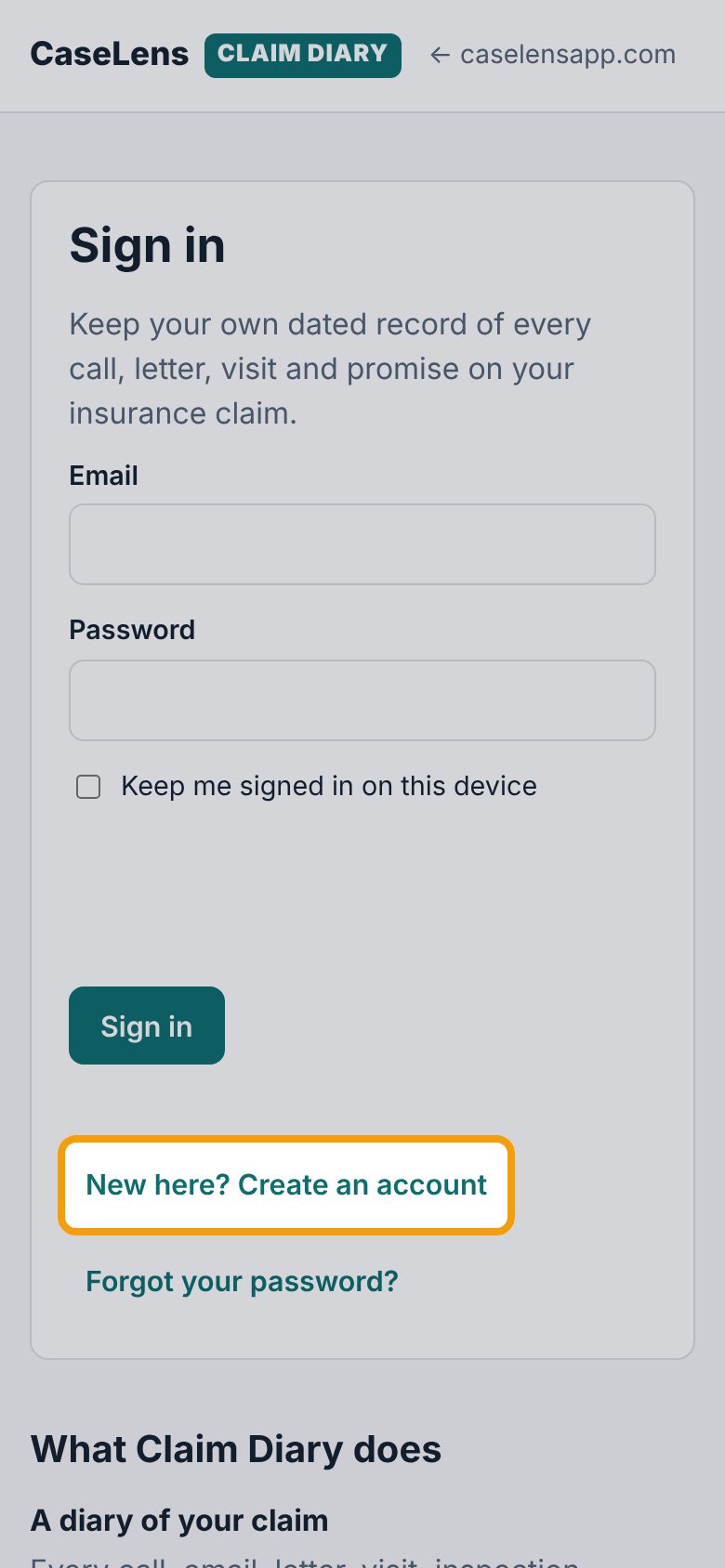
On your phone (or computer), go to diary.caselensapp.com. You'll see Sign in. If you don't have an account yet, tap New here? Create an account below the Sign in button.
2Choose a password
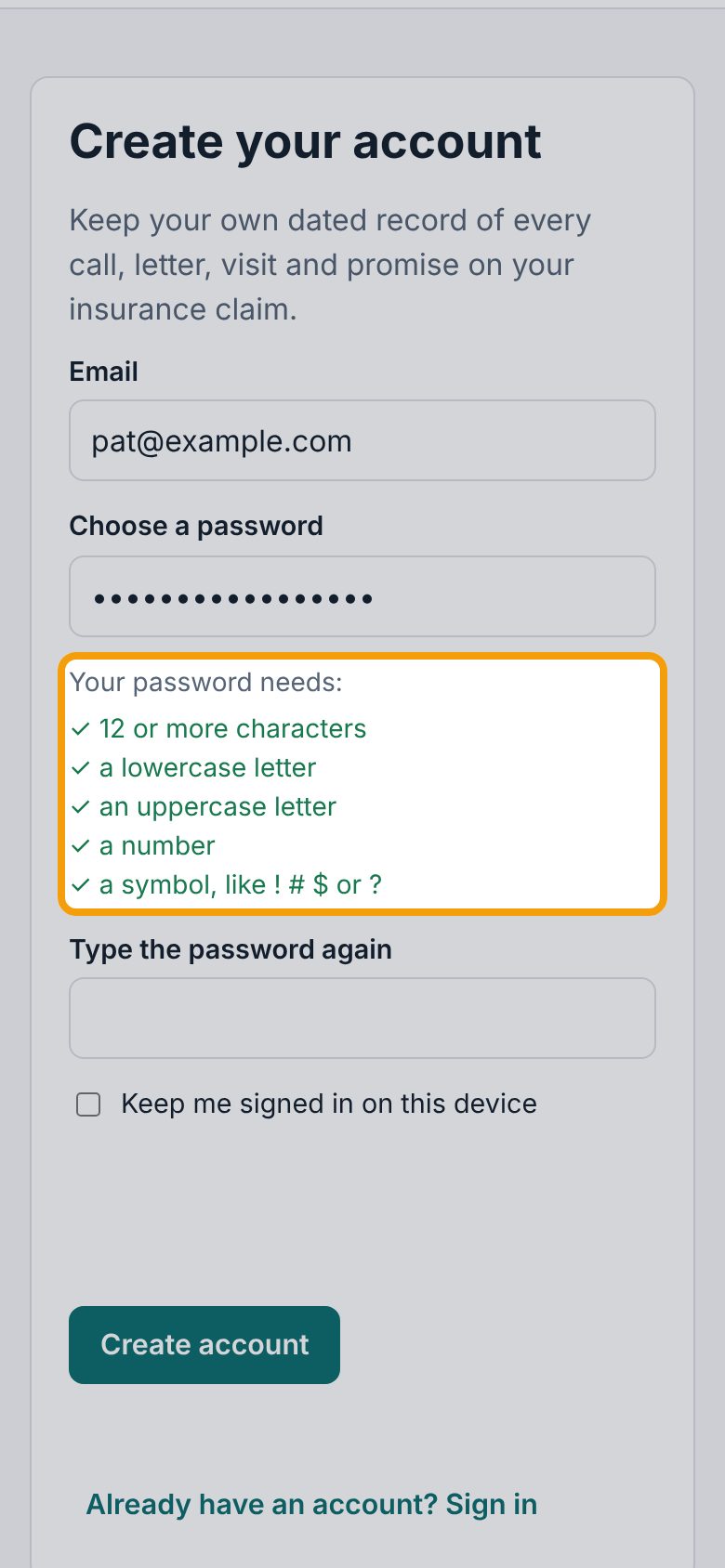
Enter your email, then a password under Choose a password. The list under it, Your password needs:, turns green item by item: 12 or more characters, a lowercase letter, an uppercase letter, a number and a symbol, like ! # $ or ?.
3Create your account
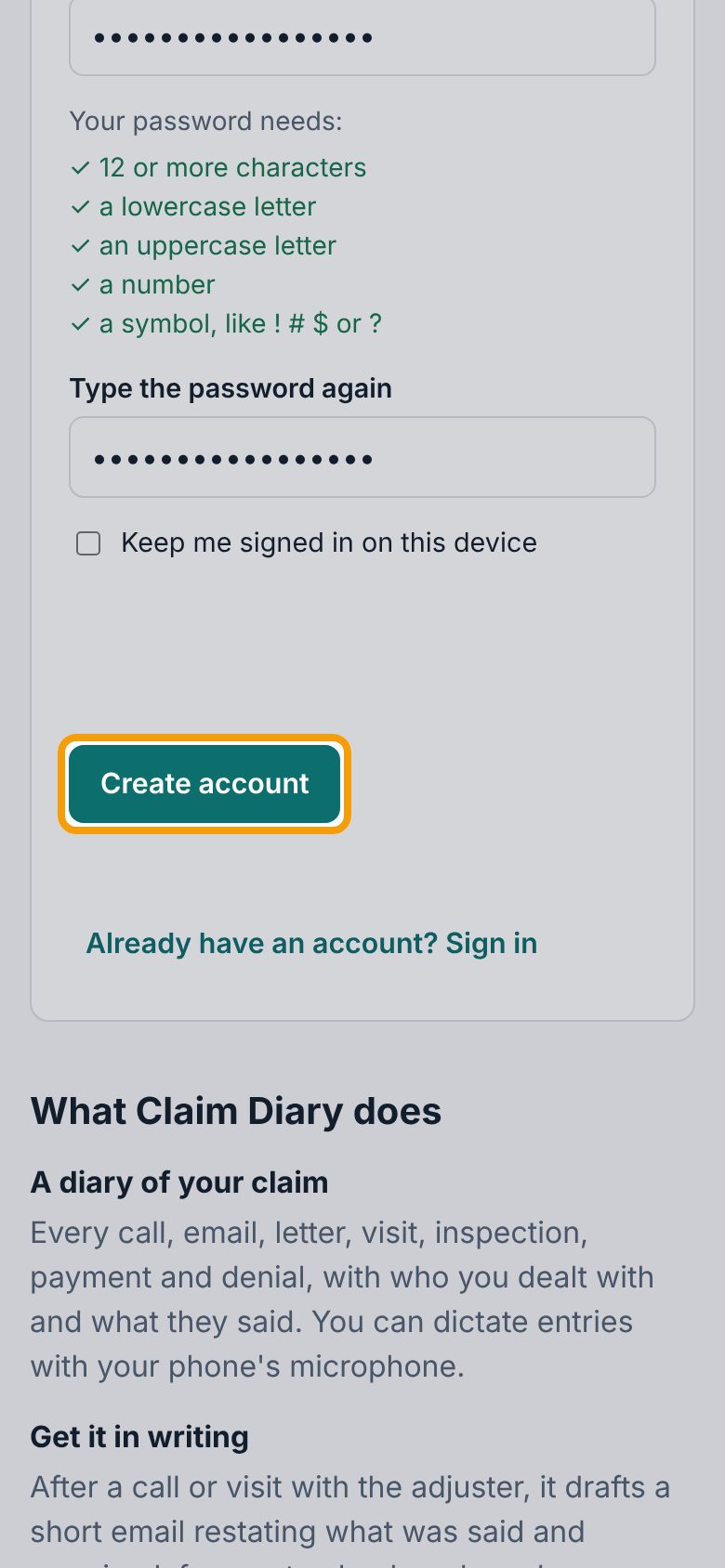
Type the same password again under Type the password again. Leave Keep me signed in on this device unticked if others use this phone or computer. Wait a moment for the security check, then tap Create account.
4Confirm your email
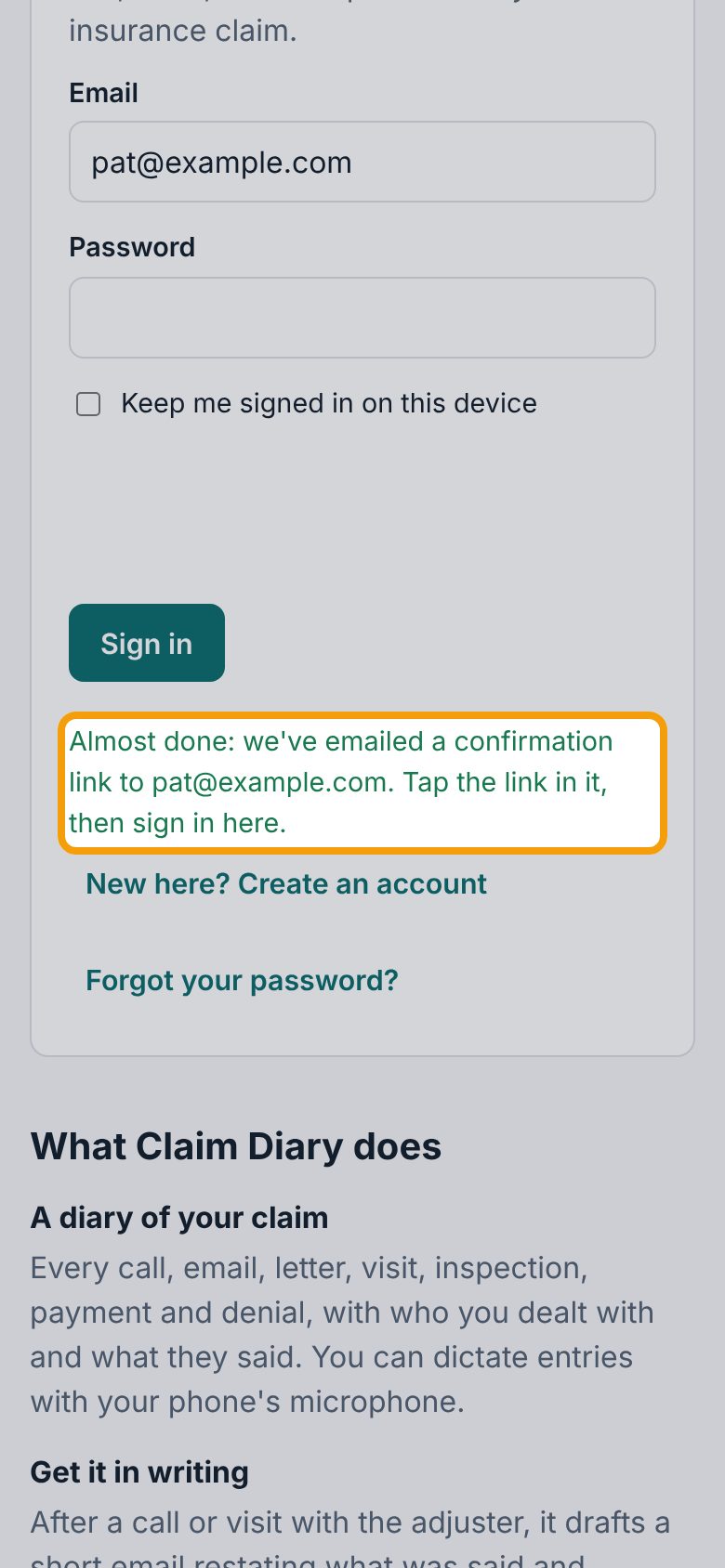
The page switches to Sign in and says Almost done: we've emailed a confirmation link. Open that email on this phone and tap the link. If it hasn't come in a few minutes, look in your spam or junk folder.
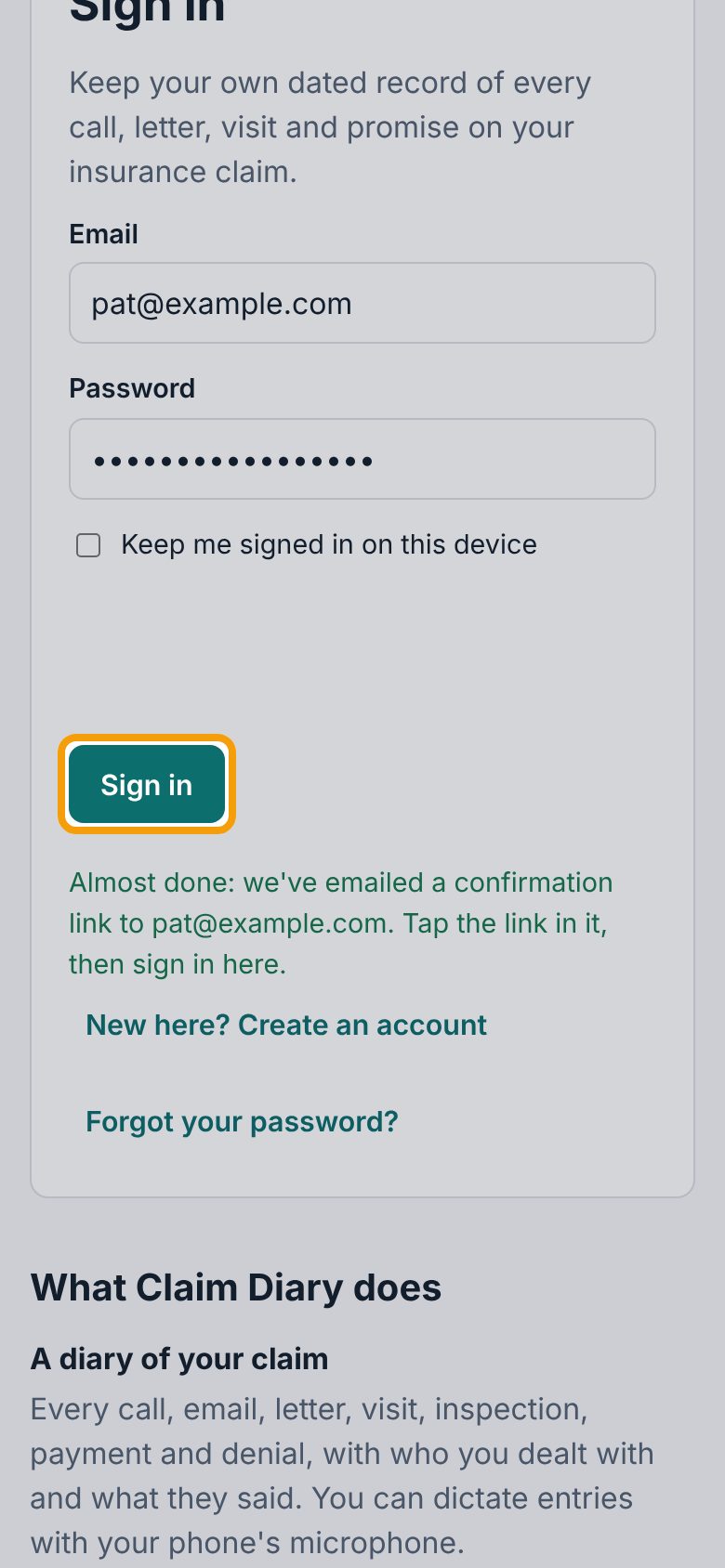
5Sign in
Back on Claim Diary, enter your email and password and tap Sign in. Tick Keep me signed in on this device first if this is your own phone, so you don't have to sign in every time.
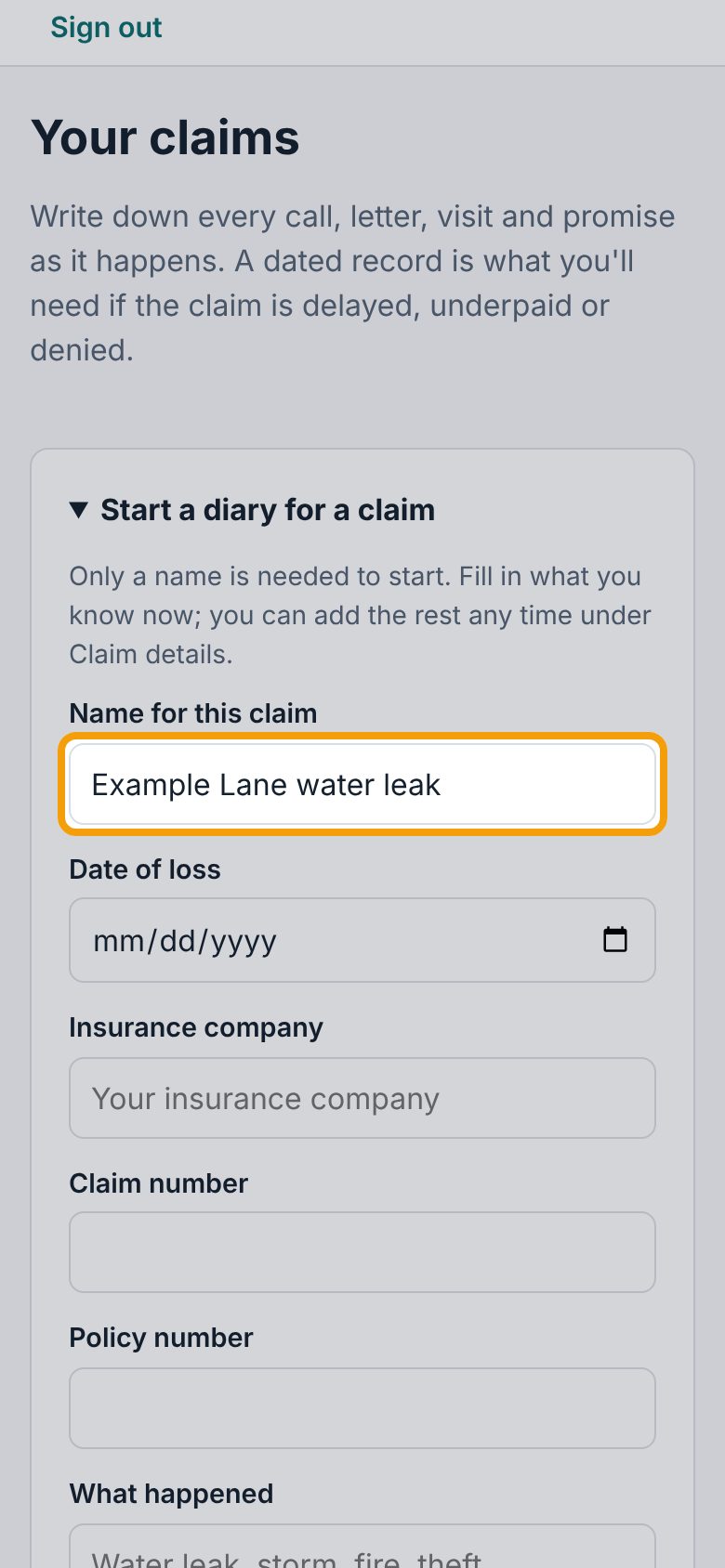
6Name your claim
The first time, you land on Your claims with Start a diary for a claim already open. Only a name is needed: type something you'll recognize under Name for this claim, like the street and what happened.
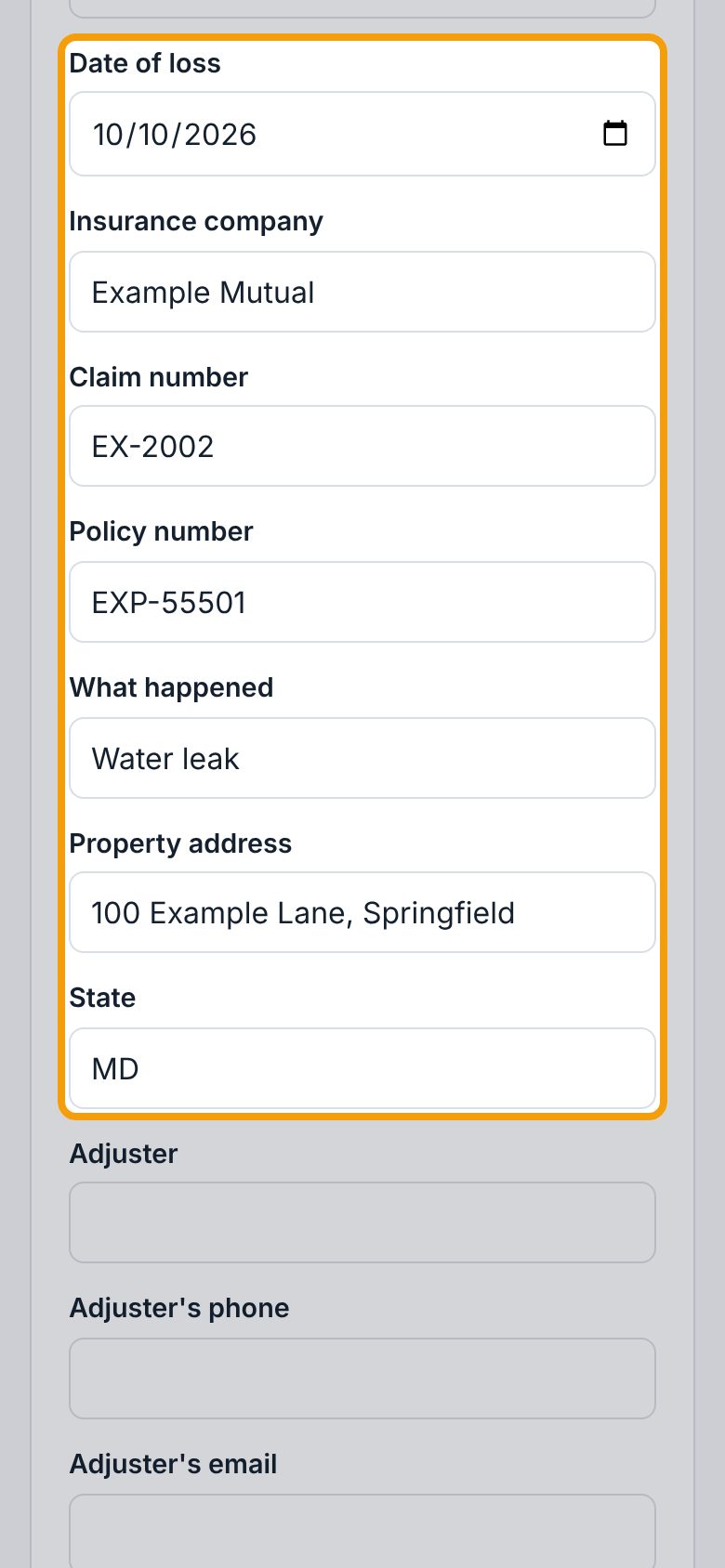
7Add the claim details
Fill in what you have: Date of loss, Insurance company, Claim number, Policy number, What happened (like a water leak or a storm), Property address and State (2 letters, like MD; your printed record uses it to name your state's insurance department). Leave anything you don't know blank.
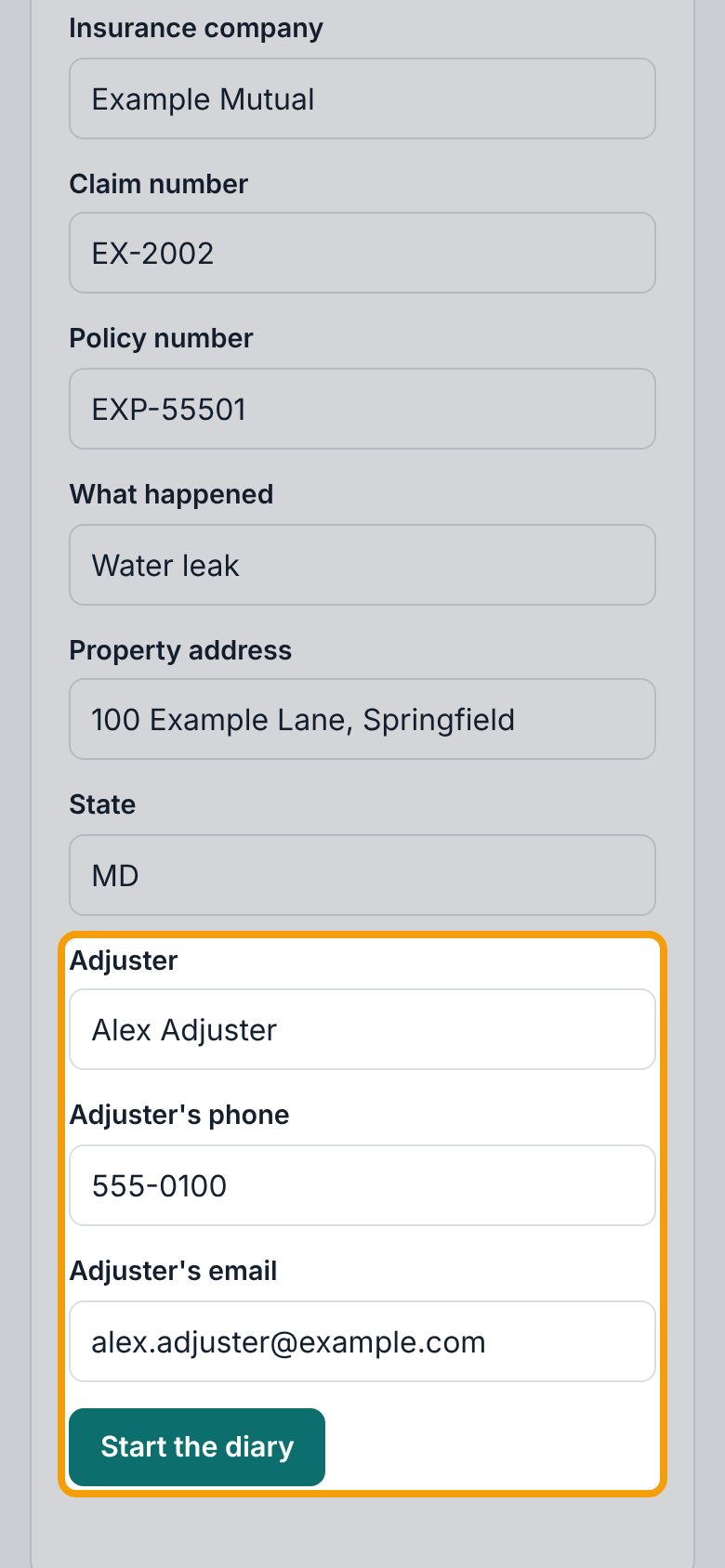
8Add your adjuster and start the diary
Scroll down and put the adjuster's name, phone and email under Adjuster, Adjuster's phone and Adjuster's email, if you have them; the email lets Claim Diary address the follow-up emails it drafts for you. Then tap Start the diary. You can change any of this later on the claim's Claim details tab.
9Find your way around the claim
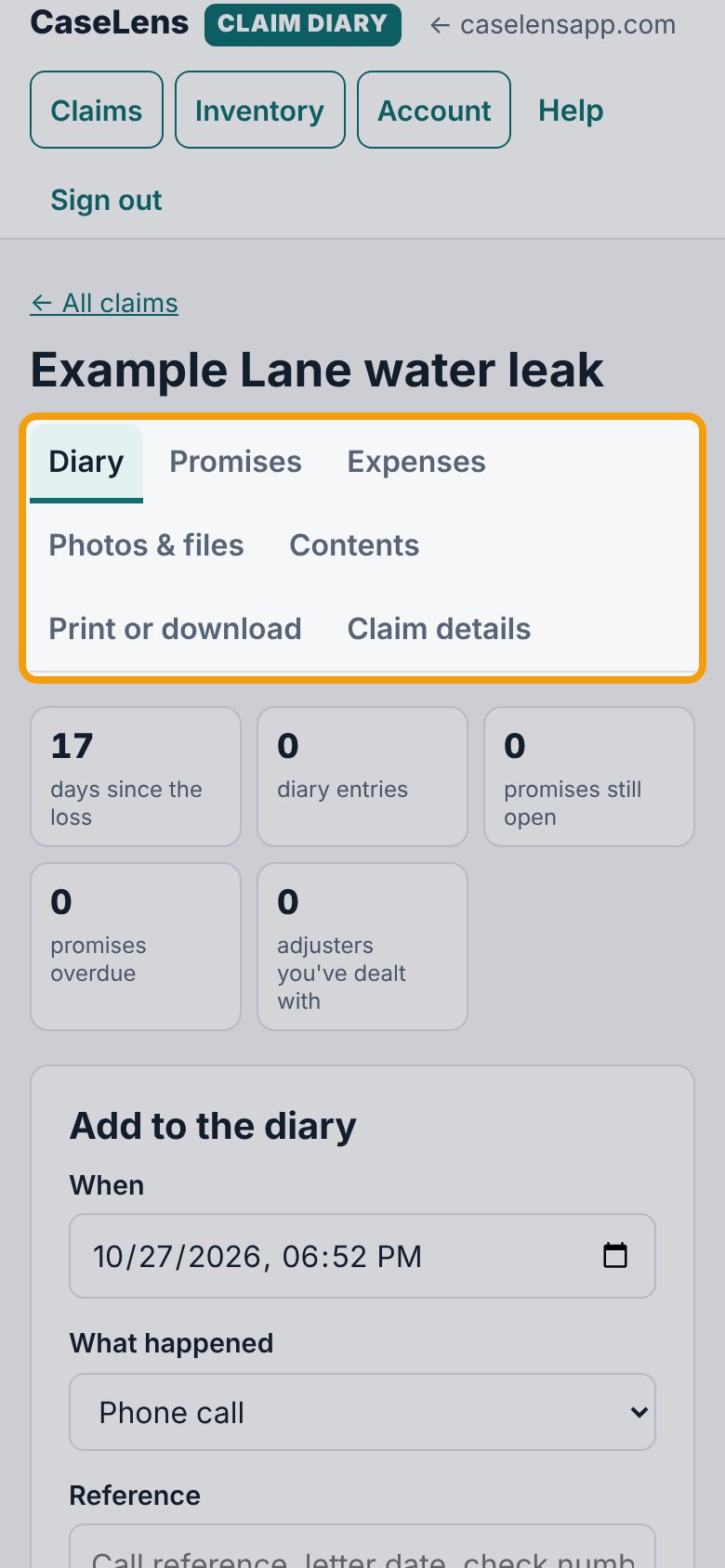
Your claim opens on Diary. The tabs under its name are the claim's sections: Diary (calls, letters, visits), Promises, Expenses (out-of-pocket costs), Photos & files, Contents (belongings from your home inventory), Print or download and Claim details.
10Get back to your claims
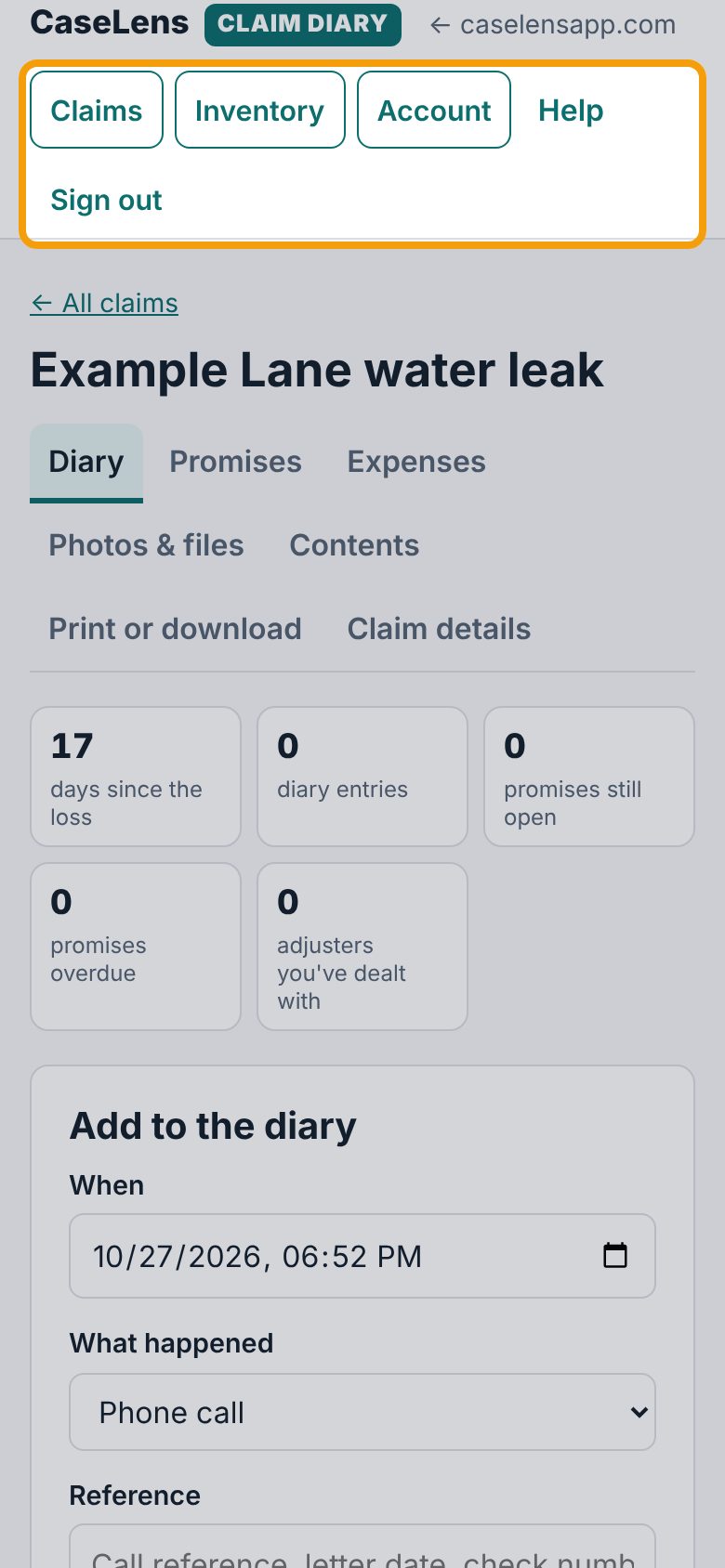
At the top of every page: Claims lists all your claims (tap one to open it), Inventory is your home inventory, Account is your account, and Help opens these guides. Sign out when you're done on a shared device.
If something goes wrong
- The confirmation email didn't come
- Wait a few minutes and check spam or junk. If you typed the email wrong, create the account again with the right one.
- "Please wait for the security check above to finish"
- The security check takes a few seconds. Wait, then tap the button again. If it never finishes, refresh the page, or turn off ad blockers for diary.caselensapp.com.
- "Your password still needs …"
- The message lists what's missing, for example an uppercase letter, a number. Add those and try again.
- "Please confirm your email first"
- Open the confirmation email and tap its link, then sign in again.
- I forgot my password
- On Sign in, enter your email and tap Forgot your password?. You'll get an email with a link to choose a new one.
What's next
- Log a call with your adjuster and put it in writingWrite down what the adjuster said and promised, then send them a short email that puts it in writing. About 5 minutes, right after the call.
- Add photos and documentsUpload damage photos and the insurance company's letters, and see what the camera details and fingerprints mean. About 3 minutes.